
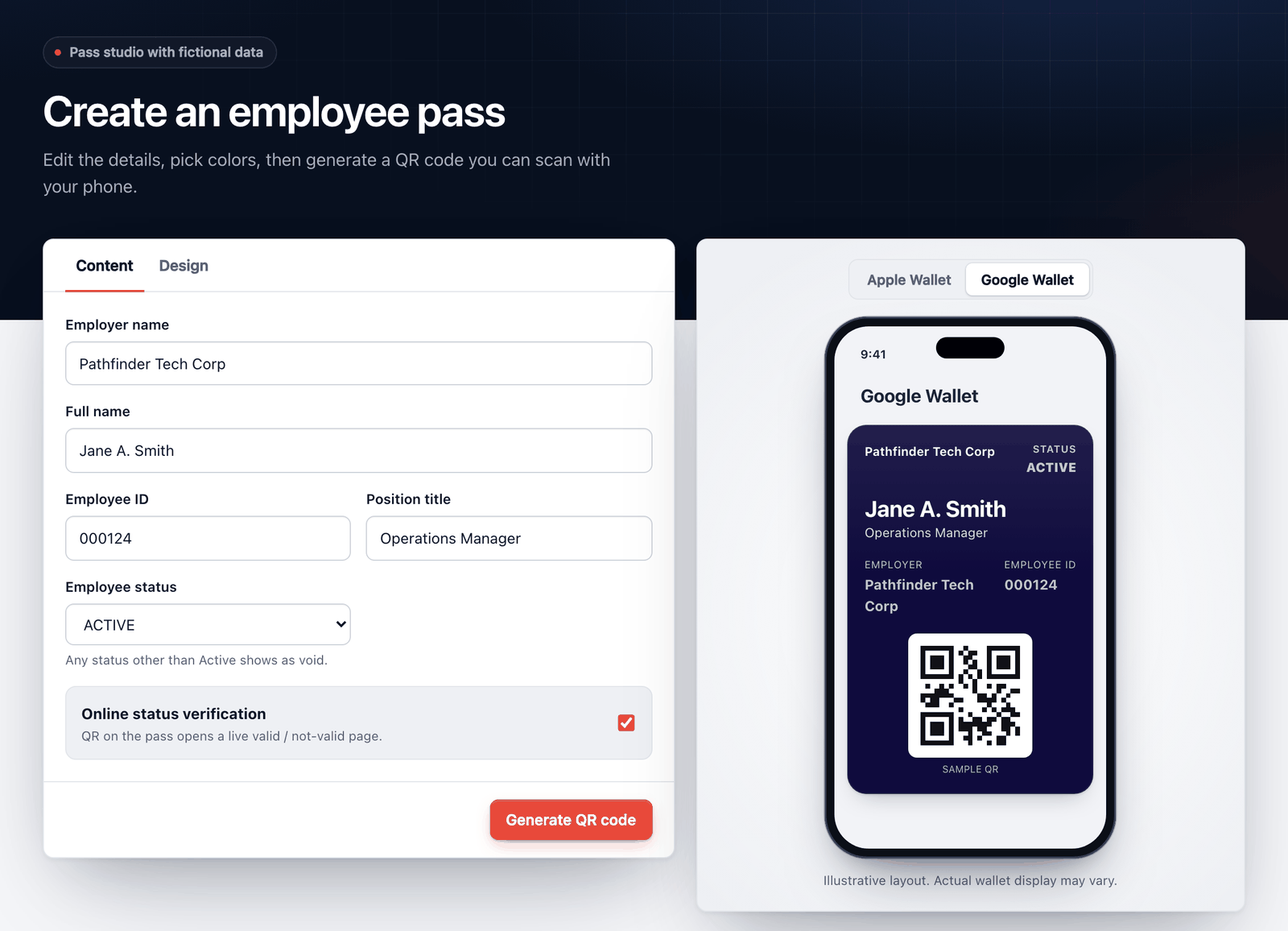
The pass studio, as it runs at /demo. Edit the fields, switch between the Apple and Google previews, and generate a QR code.
From SharePoint row to wallet in three steps
Employees need no extra app, and HR keeps working in the list it already maintains.
-
1
Connect SharePoint
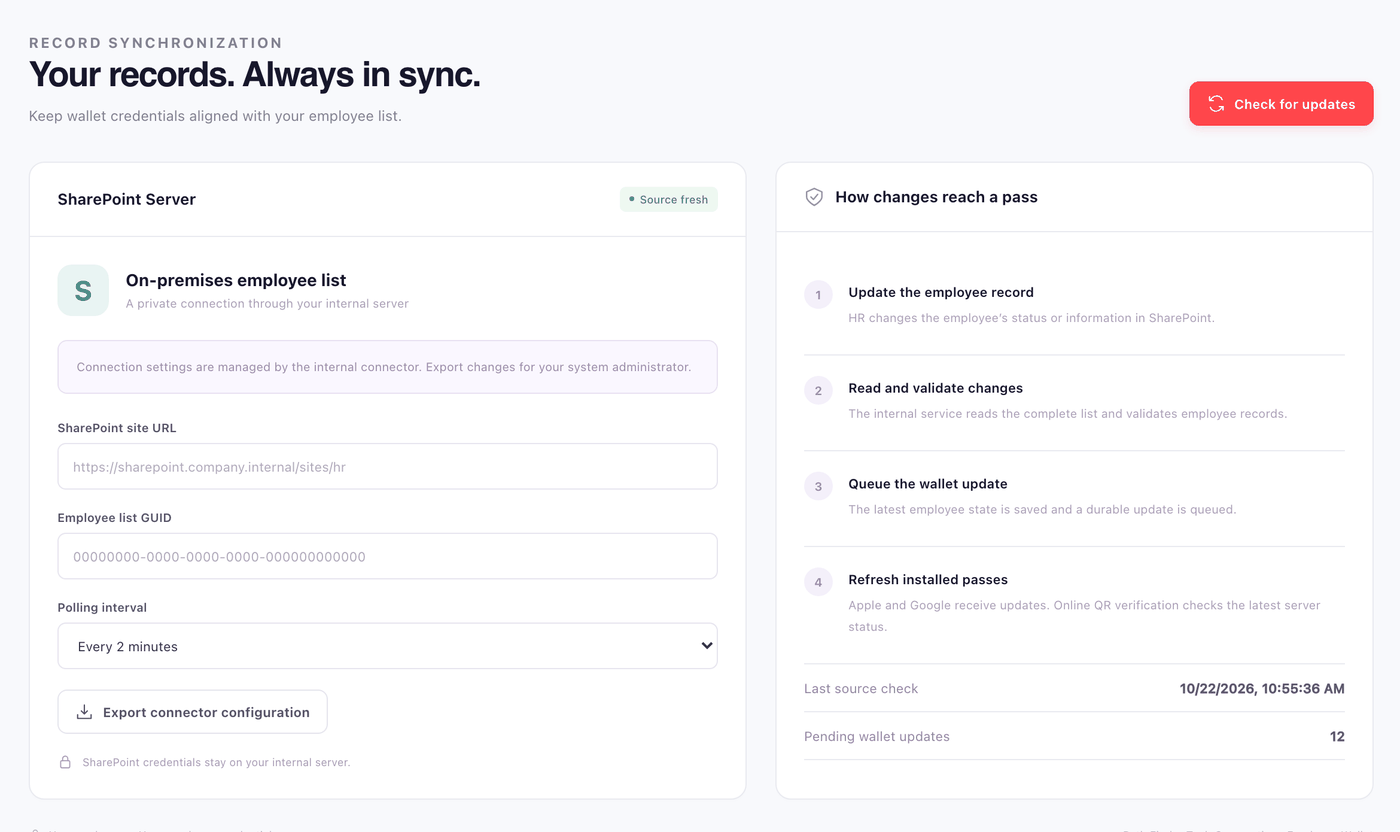
A private agent reads your employee list on a schedule: employer, name, employee ID, position and status. Read-only access is all it needs.
-
2
Employees claim their pass
An employee enters their employee ID and the one-time code emailed to the address on their HR record, then adds the pass to their wallet.
-
3
Status stays in sync
Change a status in SharePoint and the next sync updates the pass on the phone. Inactive, terminated and revoked passes are voided.
Where the data goes
SharePoint never faces the internet. A private agent sends signed snapshots to your Digital Pass server, which updates passes through Apple and Google and answers verifier scans with live status.
Issue and manage passes from one console
Administrators see every employee, their status and which wallets hold a pass.
One link, both wallets
A single smart link sends iPhones to Apple Wallet and Android phones to Google Wallet.
Your branding
Design the pass in the studio with a live Apple and Google preview. Emergency revoke lets an administrator void a pass at once.
Email one-time codes
Codes go only to the address on the HR record, expire after 10 minutes, and stop working after repeated wrong guesses.
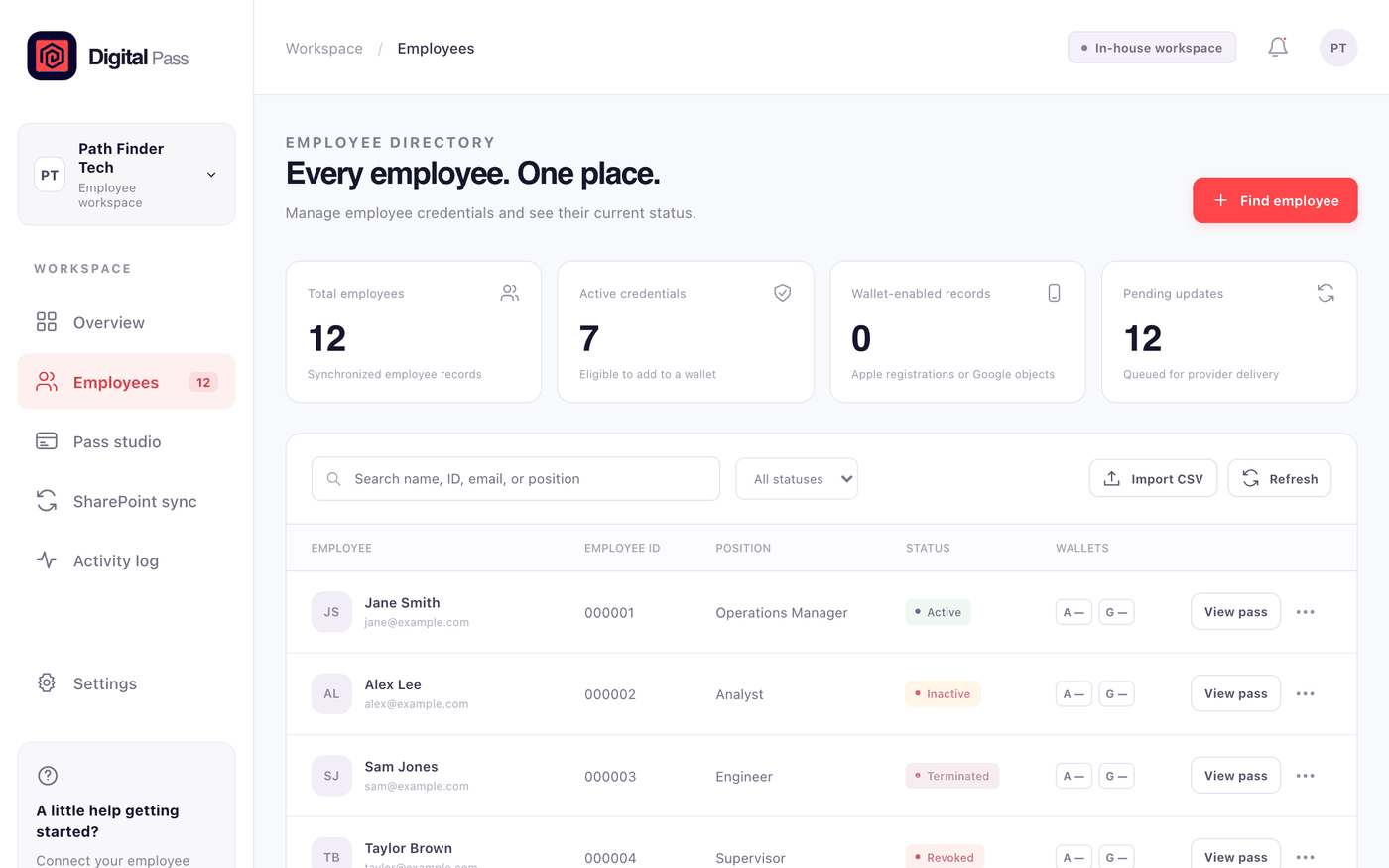
SharePoint stays the source of truth
HR keeps editing the list it already has. Digital Pass reads it and follows.
Automatic status updates
A move from active to inactive, terminated or revoked voids the pass, with no action from the employee.
Verified at the source
The QR on each pass opens a page for signed-in verifiers that reports valid or invalid, and declines to answer if the SharePoint data is stale.
Self-hosted
Runs on your own server with PostgreSQL and HTTPS. A private agent reads SharePoint, so the list never has to face the internet.
One status field drives the pass
Four states cover the employee lifecycle. Only active employees can claim a pass; any other status voids it on the next sync.
 Pass
Passvoided
Statuses
| ACTIVE | Valid. Can be claimed and added to a wallet. |
| INACTIVE | Voided. Also applied when a record leaves the list. |
| TERMINATED | Voided. Set in SharePoint by HR. |
| REVOKED | Voided. Set in SharePoint or by an administrator's emergency revoke. |
What a verifier sees after scanning
Controls that exist in the product today
Each item below describes what the code does now.
Identity from the HR record
Claiming a pass requires a one-time code sent to the email address on the employee's HR record.
Authenticated verification
QR verification pages open only for authenticated verifier accounts.
Signed sync requests
Requests from the SharePoint agent are signed and checked before any change is accepted.
Source-freshness checks
If the synced SharePoint data is stale, verification reports UNAVAILABLE rather than an outdated status.
Audit log
Sync runs, status changes, revocations and verifications are recorded in an audit log.
Self-hosted deployment
Runs on your infrastructure, so employee data stays in your environment.
Digital Pass is a proof of concept and holds no third-party certifications.
See a pass on your own phone
Design a sample pass, generate its QR code and scan it. Demo passes use fictional data and expire after 24 hours.